Do you need help setting up your Starlink hardware? You’re not alone. Starlink, by SpaceX, promises high-speed internet from space but can leave some users puzzled about its setup. This guide will walk you through each step needed for a smooth installation.
Keep reading to get started!
Starlink Router Features
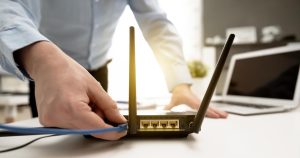
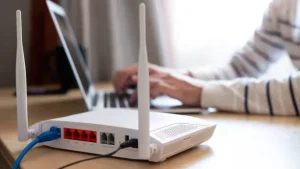
The Starlink router included in the installation kit offers Wi-Fi 6 capability. This means it can handle more devices and provide faster internet speeds at home. The redesigned router covers a five-bedroom house and most of the yard, so you get wide coverage.
Enhanced Wi-Fi coverage is possible using Starlink’s mesh network capabilities. If parts of your home still lack a strong signal, you can add additional units to extend the range. The base unit provides robust internet for streaming, gaming, and other online activities throughout multiroom areas without interruptions.
Understanding the Power Supply Unit
The power supply unit is crucial for your Starlink setup. The installation kit includes a power cable for the base unit, which connects to an external power adapter designed specifically for the router.
You must connect the router first to provide electric power to the dish.
Ensure that all connections are secure. A stable connection allows seamless internet service from your Starlink hardware.
Mounting Options for the Dish
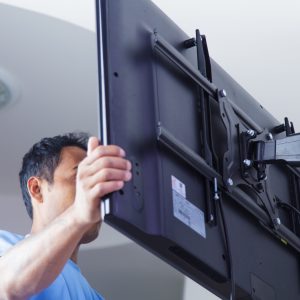
Mount the Starlink dish using the integrated kickstand for easy placement on level ground. This option works best in open fields or areas with clear views of the sky.
For more permanent installations, use additional mounting hardware from the Starlink store. Options include roof and wall mounts, existing masts’ pipe adapters, and elevated positioning brackets.
Optimal locations are rooftops or other high structures to avoid obstructions.

Network Adapters and Extenders
Starlink’s router supports Wi-Fi connectivity, which is ideal for most homes. However, larger houses often need better coverage. Wireless network adapters and extenders can help solve this issue.
Starlink’s mesh capabilities improve Wi-Fi coverage throughout your home.
With the standard setup, users experience average download speeds of 150 Mbps and upload speeds of 23 Mbps. To maintain these speeds across all rooms, consider adding a mesh network or extra adapters.
This ensures strong network connectivity everywhere in the house.
Starlink Cables and Connectors
Network adapters and extenders help expand your Starlink setup. Equally important are the cables and connectors you use.
The standard Starlink kit includes a 75-foot cable to connect the router to the dish. You can purchase longer cables if needed. Installation kits often come with drill bits, plastic grommets, and silicone sealant for secure cable installation.
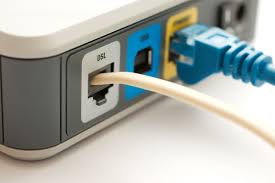
Use Ethernet cables for stable network connections. Cable management tools keep everything tidy and safe from damage.
Are you exploring other options? Based on your needs, opt for fibre optic or coaxial cables. Ensure all cable connectors fit snugly to avoid connection loss. Invest in good-quality cable extensions if your setup spans long distances.
Surge Protection for Starlink
Surge protection is crucial for keeping your Starlink system safe. Use surge protectors for the power cable linking the Starlink router to its power source and for the coaxial cable connecting the dish to the router from lightning strikes as well.
Grounding your Starlink dish can reduce surge risks. Install surge protection devices to prevent hardware damage during storms. Regularly check and maintain these devices for best performance.
This ensures that your Starlink setup remains functional even in bad weather.
Starlink Signal Boosters
Starlink does not include signal boosters in its installation kit and does not offer the option to buy them separately. Having a clear 110-degree view of the sky is crucial for an optimal connection.
The Starlink app helps find the best dish position, reducing the need for boosters.
Average download speeds range from 50 to 150 Mbps without using any signal boosters. Starlink also offers unlimited data with no overage fees, regardless of signal strength.
Understanding how Starlink cables and connectors work can further optimise your setup.
Weatherproofing Your Hardware
Protect your hardware from harsh weather conditions to ensure optimal performance. The Starlink dish includes a snow melt feature to keep its surface clear during winter, helping maintain signal strength in snowy weather.
Seal cable entry points using the silicone sealant provided in the installation kit. It blocks water and debris from entering and damaging internal components. Use a weatherproofing kit for added protection against rain, wind, and extreme temperatures.
Check outdoor hardware regularly for signs of wear or damage. Proper maintenance ensures longevity and reliable service throughout the seasons.
Third-Party Hardware Compatibility
Starlink hardware works well with many third-party devices. Users can boost their home networks by integrating third-party mesh systems for broader coverage. Using non-proprietary routers and cables allows flexible setup options suited to individual needs.
Professional installation services are also available through the Starlink website, ensuring proper integration of all components.
Gamers and video streamers will benefit from using third-party hardware due to enhanced support for various online activities. Moreover, Starlink offers unlimited data usage without caps, promoting continuous use of external hardware.
With its month-to-month service model, users enjoy a personalised experience that suits different households.
Starlink for Multiple Devices
The service allows gaming, remote work, and video streaming with high-speed internet.
The system connects many gadgets without issues. Enjoy smooth telecommuting and online gaming while using other devices. Starlink suits your needs for a busy digital household.
Portable Starlink Hardware
Portable hardware offers flexibility for users needing internet access on multiple devices. The Starlink equipment includes a portable satellite dish and a router base unit. The dish requires a clear 110-degree view of the sky for optimal reception.
Thanks to the Starlink app, the installation process is straightforward. The kit contains all necessary items, such as drill bits and sealant, making setup easy. Users can enjoy unlimited data access and month-to-month service without long-term contracts.
This makes moving and setting up in different locations simple.
Hardware for Mobile Installations
The Starlink hardware includes a satellite dish with a kickstand and a Wi-Fi router for mobile installations. The dish uses motors to position itself for optimal signal reception.
It requires a clear view of the sky for reliable connectivity.
The installation kit includes essential components like a 75-foot cable connecting the dish to the router. You will also find options such as motorised satellite dishes for ease of movement and signal reception equipment crucial for maintaining strong connections on the go.
Buying Starlink Hardware
Investing in Starlink hardware involves an initial cost of £450 for the equipment. This purchase is fully refundable if users return the gear. Renting may be preferable for those unsure about long-term needs. Still, many choose to buy Starlink hardware to avoid recurring rental fees.
Buying satellite internet equipment can also offer more control over upgrades and customisation.
Acquiring Starlink devices ensures direct ownership, saving money over time compared to renting costs. Equipment such as dishes and routers become crucial assets. Given that Starlink technology constantly evolves, owning rather than renting can be a smart decision for tech enthusiasts wanting to stay ahead with the latest updates.
Troubleshooting Hardware Issues
Use the Starlink app’s obstruction-scanning feature to find and solve signal blockages. It helps scan the area for obstacles like trees or buildings that may hinder your connection.
Follow the in-app steps to clear any issues.
Activate your dish using the Starlink app, which also manages your connection process. Check all cables and connectors regularly to ensure they are secure and undamaged. Inspect the Power Supply Unit for power issues to confirm it is working correctly.
Reach out to customer support if these steps don’t resolve your problems.
Upgrading Starlink Hardware
Fix hardware issues before considering upgrades. Since 2022, continuous improvements in Starlink hardware and infrastructure have offered better performance. Enhanced satellite internet equipment includes upgraded mounting accessories and extended wiring options for improved connectivity.
Buy additional mounting hardware and longer cables to enhance your setup. These enhancements make the system more flexible and versatile, especially in diverse environments. Opt for these upgrades to achieve the best satellite communication experience.
Starlink Hardware for Harsh Environments
Starlink’s dish includes a snow-melt feature. This keeps the surface clear during snowy conditions. The dish is designed to perform well in various climates.
Weatherproofing with silicone sealant ensures durability. It guards the hardware against moisture and extreme weather. Proper installation enhances the longevity of your satellite equipment for harsh environments.
Maintenance of Starlink Hardware
Follow safety precautions during Starlink hardware maintenance. Use gloves and tools recommended by the manufacturer. Regularly check the Starlink app for software updates to keep your internet running smoothly.
Inspect the hardware for any visible damage or wear, such as cracks or corrosion. Clean the dish with a soft cloth to remove debris and dust that could affect signal strength. Ensure all cables and connectors are secure and free from damage.
Custom Starlink Hardware Solutions
Custom Starlink hardware solutions can improve internet connectivity in unique environments. This includes settings with specific needs, like rural areas or places with harsh weather.
The installation kit already has essential parts: a dish with a kickstand, a Wi-Fi router base unit, and necessary cables. Users can add more equipment to suit their situation.
Professional Starlink installation services offer another way to get custom setups without the hassle of DIY efforts. They handle complex installs, ensuring everything runs smoothly for an additional fee.
Custom options include network adapters, extenders for better coverage, and specialised mounting gear for tricky terrains.
Shipping and Handling of Starlink Hardware
Shipping Starlink hardware costs £40. This fee covers the hardware, shipping, handling, and tax. Purchase this equipment directly from the Starlink website. Each package includes all necessary components for setup.
Your satellite internet equipment is transported and managed with care. All items are securely packed to avoid damage during transit, and the delivery process ensures prompt arrival at your location.