Moving into a new house brings the challenge of setting up the internet. It’s essential for keeping in touch, work, and entertainment. Our guide simplifies the process of getting your new home internet-ready, from choosing providers to installation.
Keep reading to make connecting online easy.
Key Takeaways
- Assess your internet needs by considering speed, connection type, and what’s available in your new area. This helps you choose the best service for activities like streaming or working from home.
- Research local internet service providers to find options that fit your requirements for speed, reliability, and customer support. Checking online reviews can guide you towards a dependable choice.
- Choose the right internet connection type for your situation. Fibre offers high speeds but isn’t available everywhere. Broadband varies by location, while mobile data can be a temporary solution.
- Setting up the internet involves selecting an ISP, installing equipment like modems and routers, and configuring a wireless network to connect devices throughout your house.
- Good customer support is crucial when setting up new internet services as it ensures assistance is available for installation issues or future problems with connectivity.
Identify Your Internet Needs
Assess what you need to choose the right internet service. Consider the speed, connection type, and support options in your new area.
Speed requirements
Speed requirements matter when setting up internet in a new house. Different activities need different speeds. For example, streaming videos or playing online games requires higher speeds than browsing websites.
A minimum of 25 Mbps often suits most households for smooth operation.
Check what your household uses daily. If you stream shows on multiple devices or work from home, aim for faster connections, like 100 Mbps or more. Assess the type of broadband transfer available to find the best fit for your needs and ensure a reliable internet setup after moving into your new residence.
Type of connection
Choosing the right type of connection is vital for internet setup after a move. You can select between fibre, broadband, or mobile data connections. Fibre offers high speed and reliability but may only be available in some areas.
Traditional broadband can also provide good speeds, but they might vary depending on your location. Mobile data serves as a temporary internet option during transitions.
Investigate these options to establish an effective internet connection in your new house. Knowing what each type offers can help you make better decisions about setting up Wi-Fi and connecting devices seamlessly.
Availability in new area
Finding internet availability in your new area is crucial. Research local providers that serve your location. Some areas may have limited options, while others offer many choices for broadband installation.
Check the speed and reliability of each provider to ensure they meet your needs.
Contact potential providers to verify their services. Ask about customer support and cancellation policies if you plan to switch broadband providers later. If you need a connection before the permanent setup is complete, look into temporary internet options as well.
Setting up the internet in a new house requires careful consideration of these factors to establish a strong connection quickly.
Reliability
Reliability is crucial when setting up the internet in a new house. Choose an internet service provider known for dependable connections. Look for reviews and ratings that highlight customer satisfaction.
A reliable connection ensures smooth streaming, browsing, and gaming without interruptions.
Check the availability of services in your new area before making your choice. Some providers offer temporary internet while moving, which can help during the transition. Compare plans to find one that meets your speed requirements and offers excellent customer support for any issues you may face after installation.
Customer support
Good customer support matters when setting up the internet in a new house. You may need help during installation or if issues arise later. Choose an internet service provider that offers reliable assistance.
Check reviews to see how quickly they respond to problems.
Excellent customer support can make your experience smoother. For broadband installation, having access to knowledgeable representatives is essential. They should guide you through the process and answer your questions promptly.
Ensuring good support will ease your move into a new residence and keep you connected without hassle.
Steps to Setting Up Internet in a New House
To set up internet in your new house, select a reliable internet service provider. Then, install the necessary equipment and configure your wireless network for easy access.
Choose the right Internet service provider
Choosing the right internet service provider (ISP) is crucial for your new home. Research the ISPs available in your area. Look for providers that offer good speed and reliability.
Check their customer support ratings as well. Compare plans based on price and features before deciding.
Once you narrow down your options, consider switching broadband providers if you’re unhappy with your current ISP. Many companies allow easy transfers of broadband services to a new location.
Be sure to review any cancellation policies when moving. This step helps ensure a smooth internet setup after the move into your new house.
Install necessary equipment
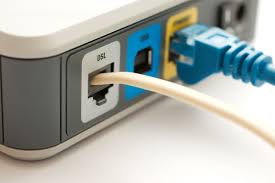
Gather your modem and router. Your internet service provider may provide some of this gear. Follow their instructions for connecting the modem to the cable or telephone line to install the necessary equipment.
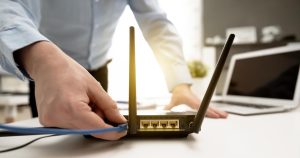
Next, link the router to the modem with an Ethernet cable.
Once connected, plug your devices into power sockets and turn them on. Set up your wireless network by following prompts from a setup wizard that usually appears in your web browser.
This process helps you create a secure home internet setup in no time at all.
Set up a wireless network
Setting up a wireless network in your new house is essential for connecting devices. Start by placing the router in a central location to ensure even coverage throughout your home.
Connect the router to power and plug it into your internet modem using an Ethernet cable.
Access the router’s settings through a web browser on your computer or smartphone. You will find instructions on how to set up Wi-Fi and create a secure password. After you save these changes, connect your devices to this new network for easy access to broadband services in your new residence.